Dashboard
The WAMF dashboard provides an overview of recent wildlife activity and recorded detections.
It is the main starting point for seeing what WAMF has recently detected.
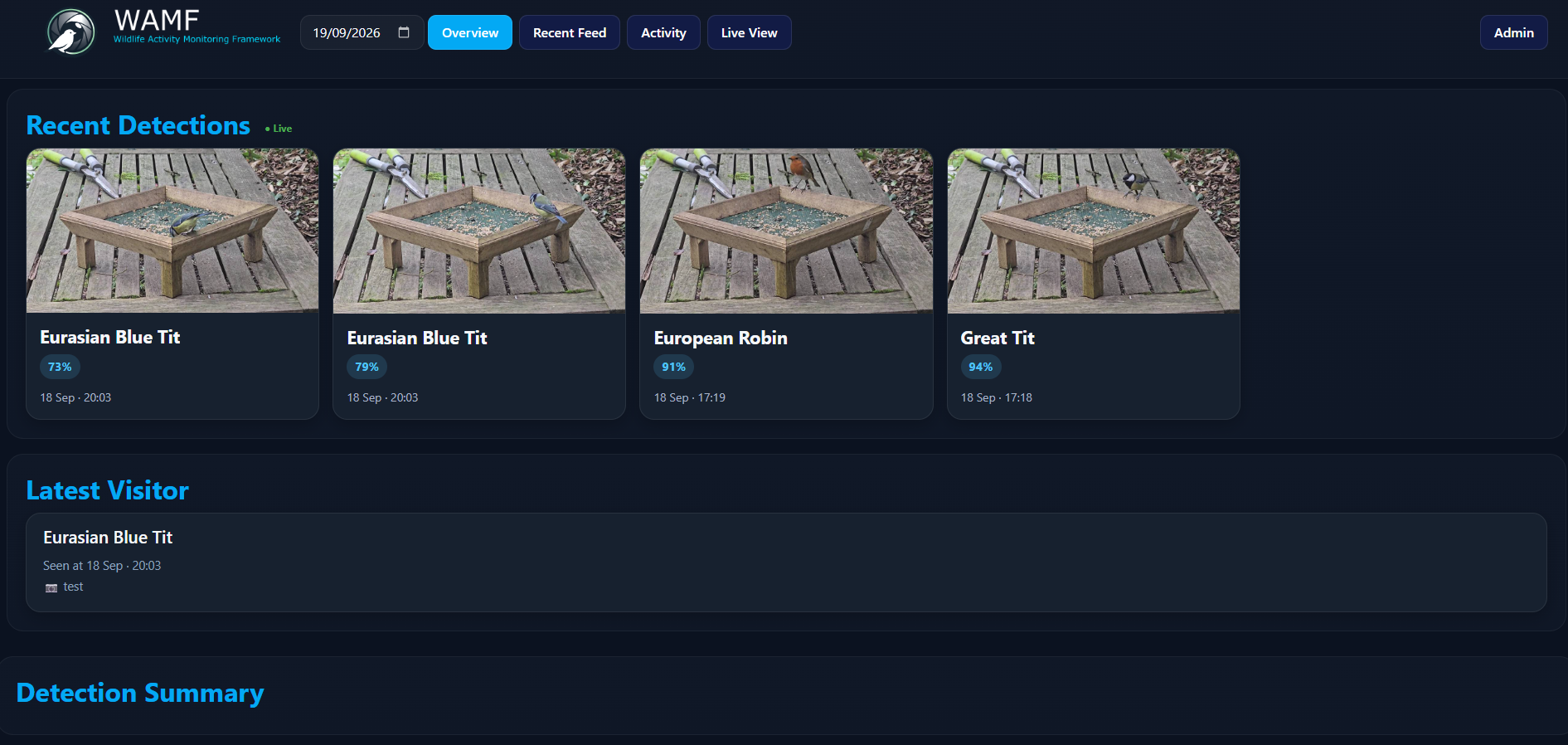
Overview
The Overview page brings together recent detection information for the selected date.
The date selector at the top of the page can be used to view activity from a different day.
The Overview includes:
- recent detections
- the latest visitor
- a detection summary
Recent Detections
The Recent Detections section displays the latest wildlife detections as cards.
Each card shows the detected species, classification confidence, detection time and snapshot.
This provides a quick visual overview of recent activity without having to browse the complete detection history.
Latest Visitor
The Latest Visitor section shows the most recent detection for the selected date.
It includes the species, detection time and camera that recorded the observation.
Detection Summary
The Detection Summary provides an overview of detection activity for the selected date.
Use this section alongside the recent detections to get a quick picture of wildlife activity during the selected period.
Navigation
The main WAMF navigation provides access to:
- Overview — summary of detections for the selected date.
- Recent Feed — recent WAMF detections.
- Activity — recorded wildlife activity.
- Live View — the configured live camera view.
- Admin — WAMF administration and system information.
Live Status
A Live indicator is displayed alongside Recent Detections while the dashboard is receiving live updates.
New detections can therefore appear on the dashboard without manually refreshing the page.
Next Steps
Use Recent Feed to browse recent detections, Activity to explore recorded wildlife activity, or Live View to view the configured camera stream.
System health, storage and retention information is available separately through the Admin interface.