Configuration
The Configuration administration page provides access to the active WAMF configuration file.
WAMF v0.4.0 uses a YAML configuration file. The administration interface provides a built-in editor for viewing and changing this configuration.
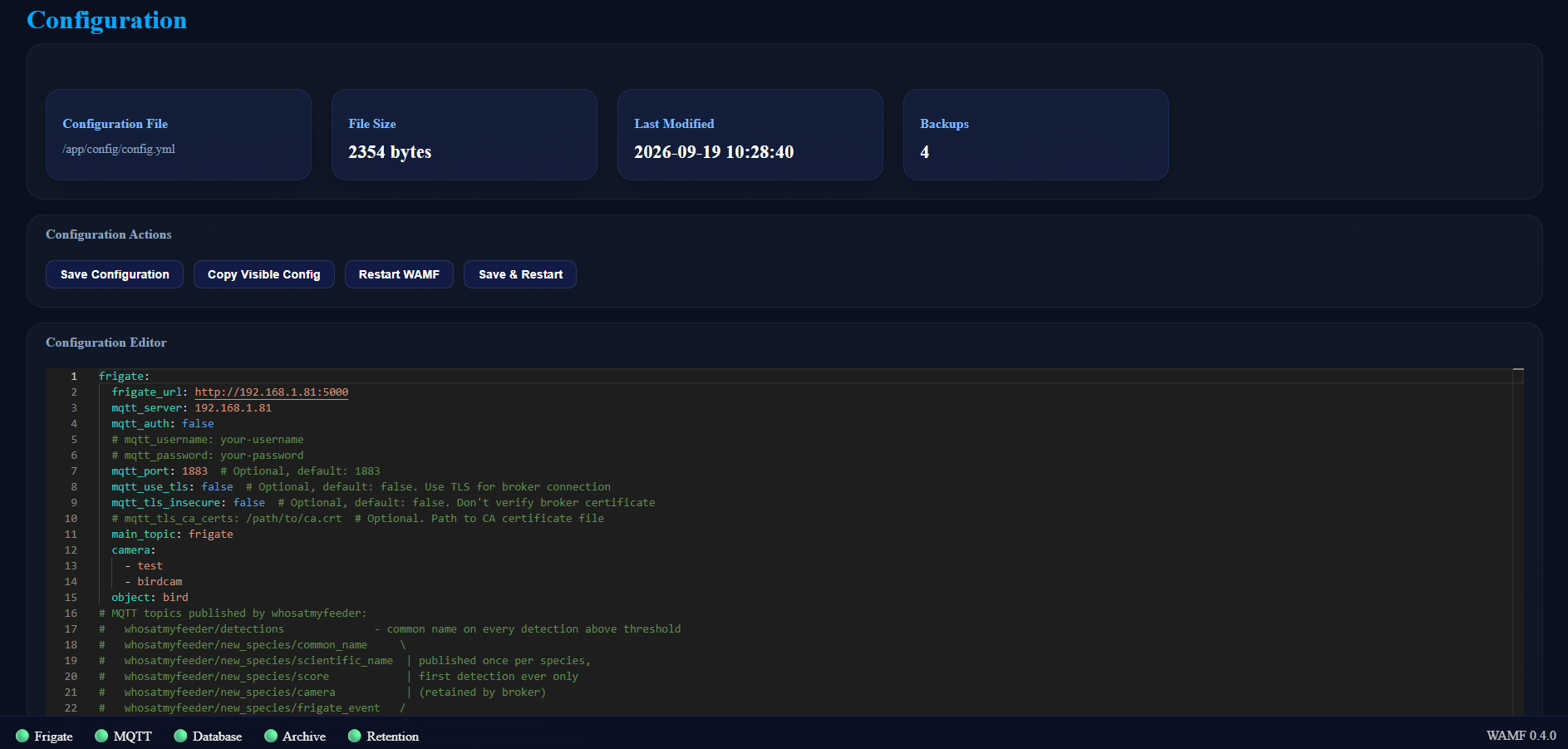
Configuration Information
The top of the page shows information about the active configuration:
- Configuration File — the path to the configuration file used by WAMF.
- File Size — the current size of the configuration file.
- Last Modified — when the configuration was last changed.
- Backups — the number of configuration backups currently available.
Configuration Editor
The Configuration Editor displays the WAMF configuration as YAML.
Changes can be made directly in the editor.
Take care when editing YAML
YAML is sensitive to indentation. Invalid configuration may prevent WAMF from operating correctly after a restart.
For a description of the available configuration options, see Configuration Reference.
Configuration Actions
The following actions are available:
Save Configuration
Save Configuration writes the contents of the editor to the WAMF configuration file.
Copy Visible Config
Copy Visible Config copies the configuration currently shown in the editor to the clipboard.
This can be useful when reviewing the configuration or creating a manual copy before making changes.
Restart WAMF
Restart WAMF requests a restart without first saving changes currently present in the editor.
Save & Restart
Save & Restart saves the configuration and then requests a WAMF restart.
Use this when a configuration change requires WAMF to restart before it takes effect.
Configuration
The Configuration administration page provides access to the active WAMF configuration file.
WAMF v0.4.0 uses a YAML configuration file. The administration interface provides a built-in editor for viewing and changing this configuration.
Configuration Information
The top of the page shows information about the active configuration:
- Configuration File — the path to the configuration file used by WAMF.
- File Size — the current size of the configuration file.
- Last Modified — when the configuration was last changed.
- Backups — the number of configuration backups currently available.
Configuration Editor
The Configuration Editor displays the WAMF configuration as YAML.
Changes can be made directly in the editor.
Take care when editing YAML
YAML is sensitive to indentation. Invalid configuration may prevent WAMF from operating correctly after a restart.
For a description of the available configuration options, see Configuration Reference.
Configuration Actions
The following actions are available:
Save Configuration
Save Configuration writes the contents of the editor to the WAMF configuration file.
Copy Visible Config
Copy Visible Config copies the configuration currently shown in the editor to the clipboard.
This can be useful when reviewing the configuration or creating a manual copy before making changes.
Restart WAMF
Restart WAMF requests a restart without first saving changes currently present in the editor.
Save & Restart
Save & Restart saves the configuration and then requests a WAMF restart.
Use this when a configuration change requires WAMF to restart before it takes effect.
Configuration Backups
Before WAMF saves a configuration change, it creates a backup of the previous configuration file.
The Backups value at the top of the Configuration page shows the number of configuration backups currently available.
This provides a copy of the previous configuration before changes are written.
For information about backing up the complete WAMF installation, including persistent configuration, database and archived media, see Backups.