Administration
The WAMF administration interface provides configuration, system health, archive management and maintenance tools for a WAMF installation.
Open the administration interface from WAMF and sign in with your administrator account.
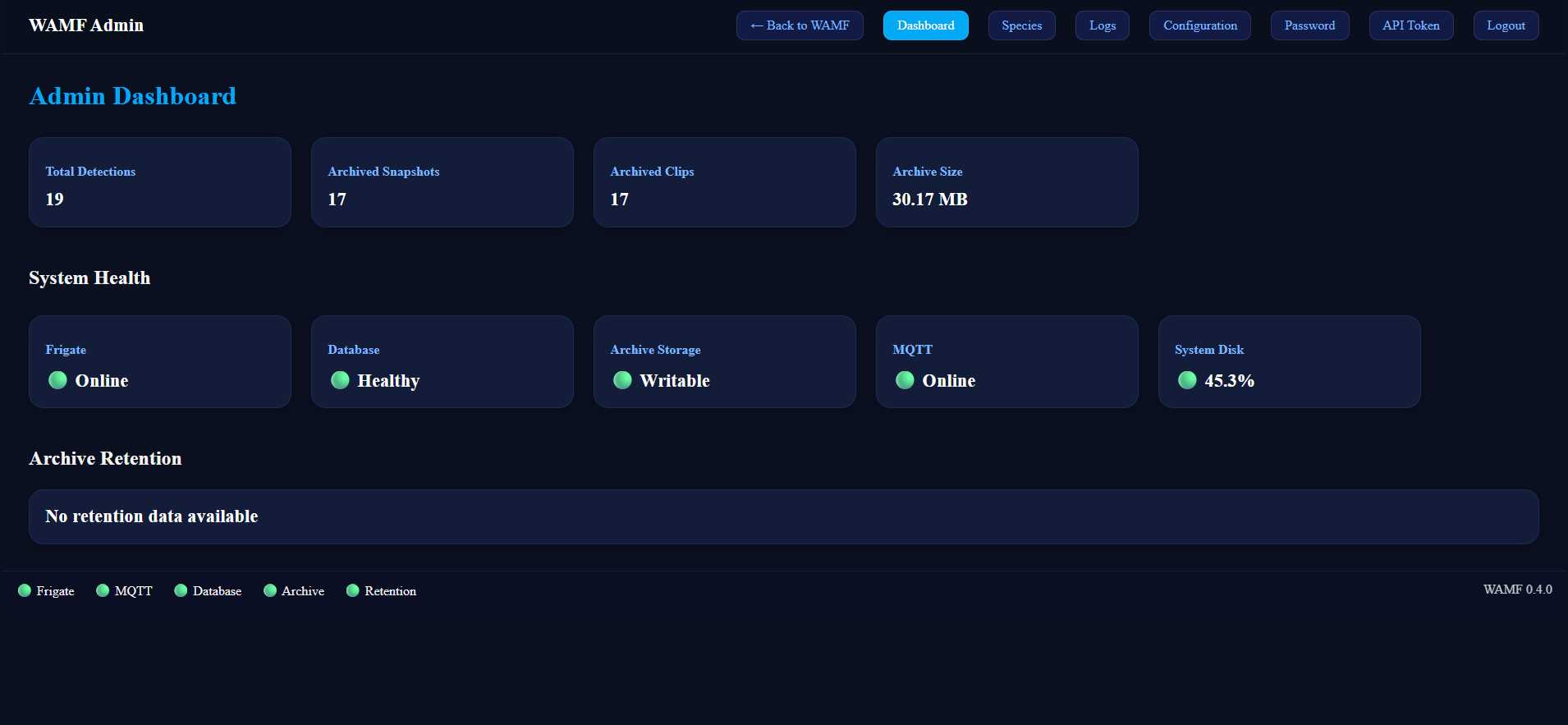
Admin Dashboard
The Admin Dashboard provides an overview of the current WAMF installation.
It displays:
- Total Detections — the number of detections recorded by WAMF.
- Archived Snapshots — the number of snapshots currently stored by WAMF.
- Archived Clips — the number of archived video clips currently stored.
- Archive Size — the total storage currently used by archived media.
System Health
The dashboard reports the current status of WAMF's main dependencies and storage:
- Frigate — connectivity to the configured Frigate instance.
- Database — health of the WAMF database.
- Archive Storage — whether WAMF can write to its archive storage.
- MQTT — connectivity to the configured MQTT broker.
- System Disk — current disk usage.
Archive Retention
The Archive Retention section shows the current state of WAMF's media retention system when retention information is available.
Retention behaviour is covered in Media Retention
Administration Sections
The navigation bar provides access to the main administration tools:
- Dashboard — installation statistics, health and retention status.
- Species — manage species metadata used by WAMF.
- Logs — view WAMF system events and logs.
- Configuration — view and edit WAMF configuration.
- Password — change the administrator password.
- API Token — manage the token used to authenticate API access.
- Logout — end the current administrator session.
Use Back to WAMF to return to the normal WAMF interface.