System Logs
The System Logs page provides a view of operational events recorded by WAMF.
It can be used to review normal system activity and investigate warnings generated by WAMF and its components.
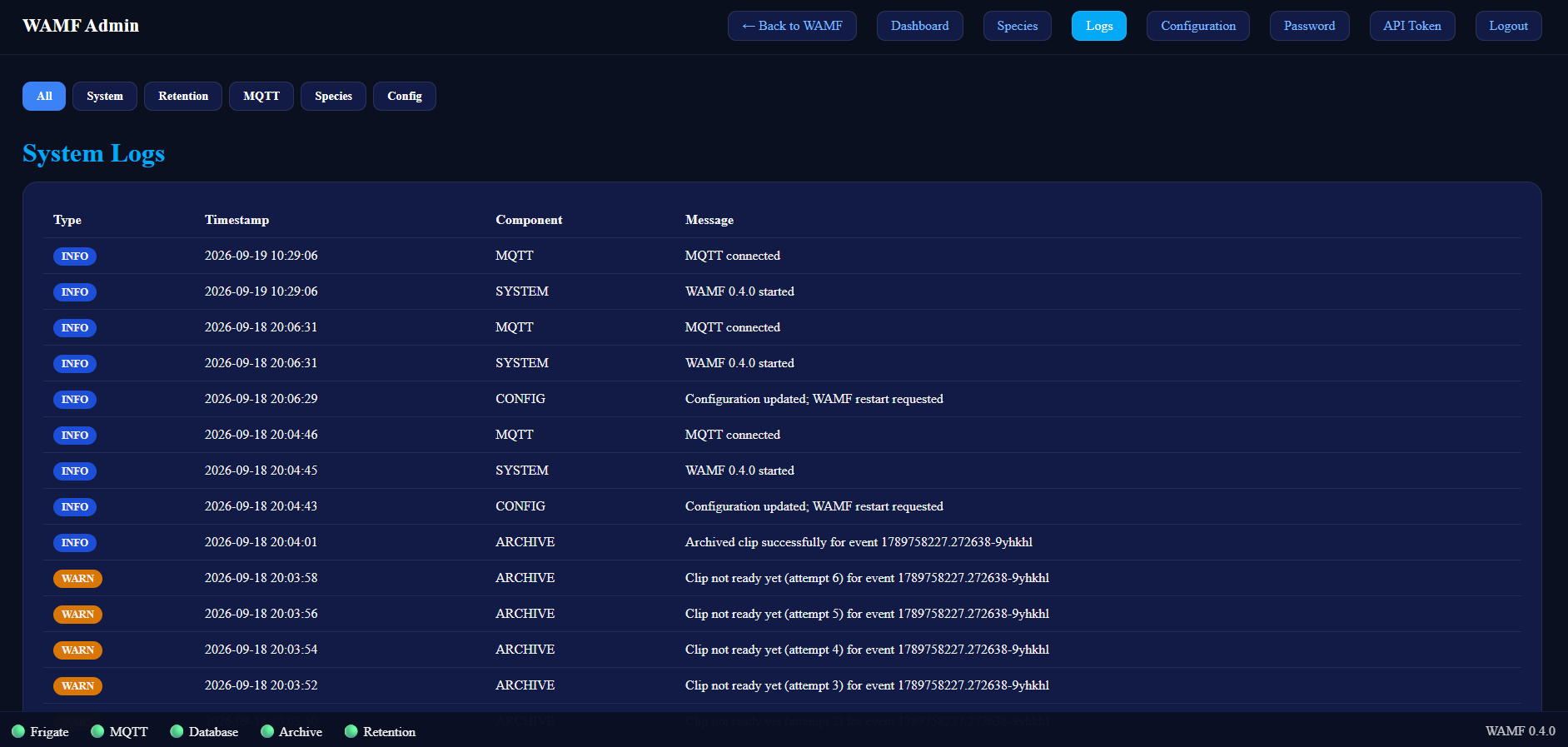
Log Entries
Each log entry includes:
- Type — the severity of the event, such as
INFOorWARN. - Timestamp — when the event was recorded.
- Component — the WAMF component that generated the event.
- Message — details about the event.
Logs are displayed with the most recent events first.
Filtering Logs
The controls at the top of the page can be used to filter the displayed events.
Available filters include:
- All — show events from all components.
- System — WAMF system events.
- Retention — media retention events.
- MQTT — MQTT connection and processing events.
- Species — species metadata events.
- Config — configuration events.
Selecting a filter limits the log view to events in that category.
Using System Logs
System Logs are useful when checking WAMF operation or troubleshooting an issue.
For example, the log can show:
- WAMF starting.
- MQTT connections.
- Configuration changes and restart requests.
- Archive activity.
- Warnings encountered while processing media.
The health indicators at the bottom of the administration interface provide a quick status overview, while System Logs provide more detail about recent WAMF activity.